How do I create a cohort?
Go to Cohorts, click New Cohort, enter the details and dates, add modules and people, then save.
Admins and learning managers can create cohorts.
To create a cohort
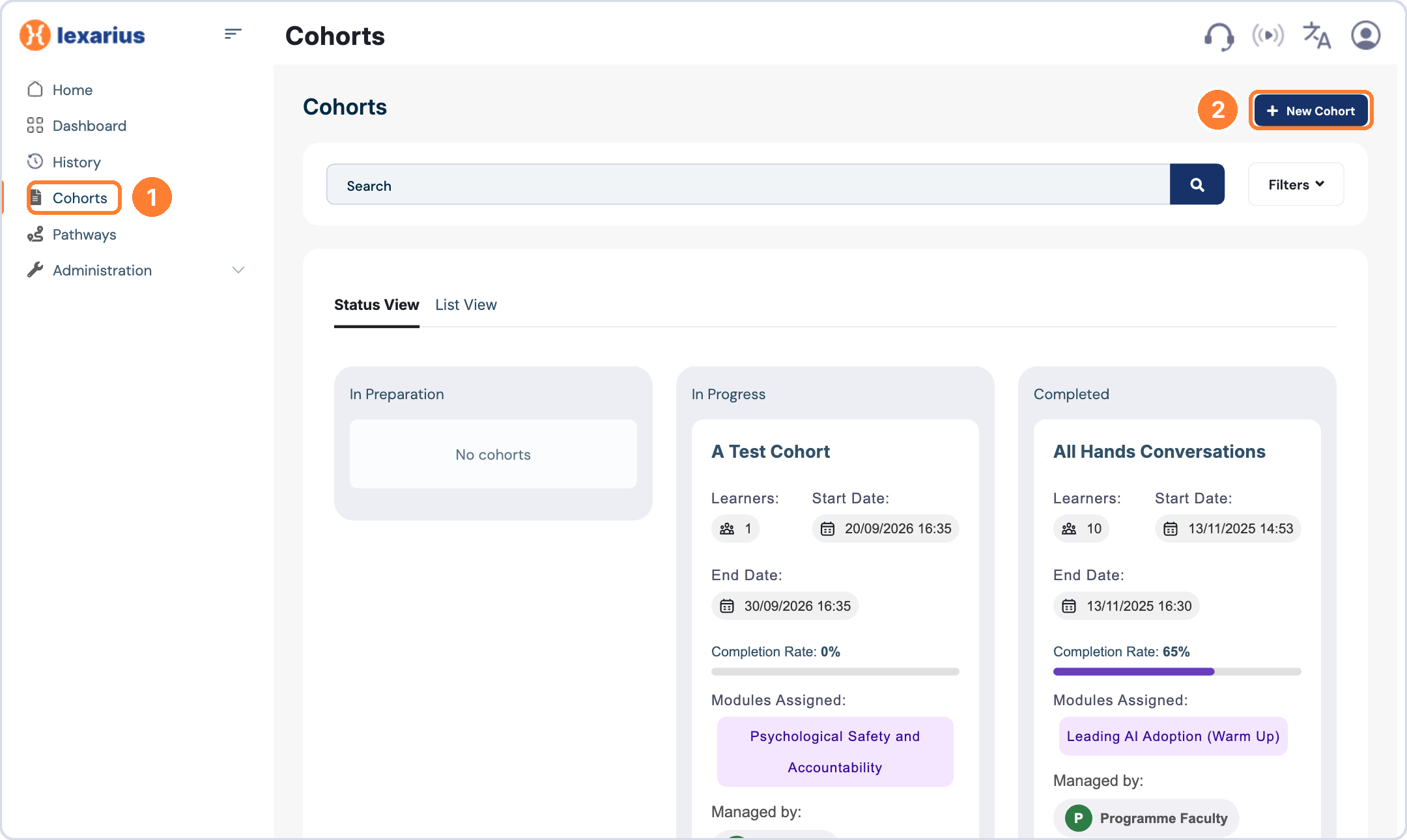
- Click Cohorts in the left-hand menu.
- Click New Cohort.
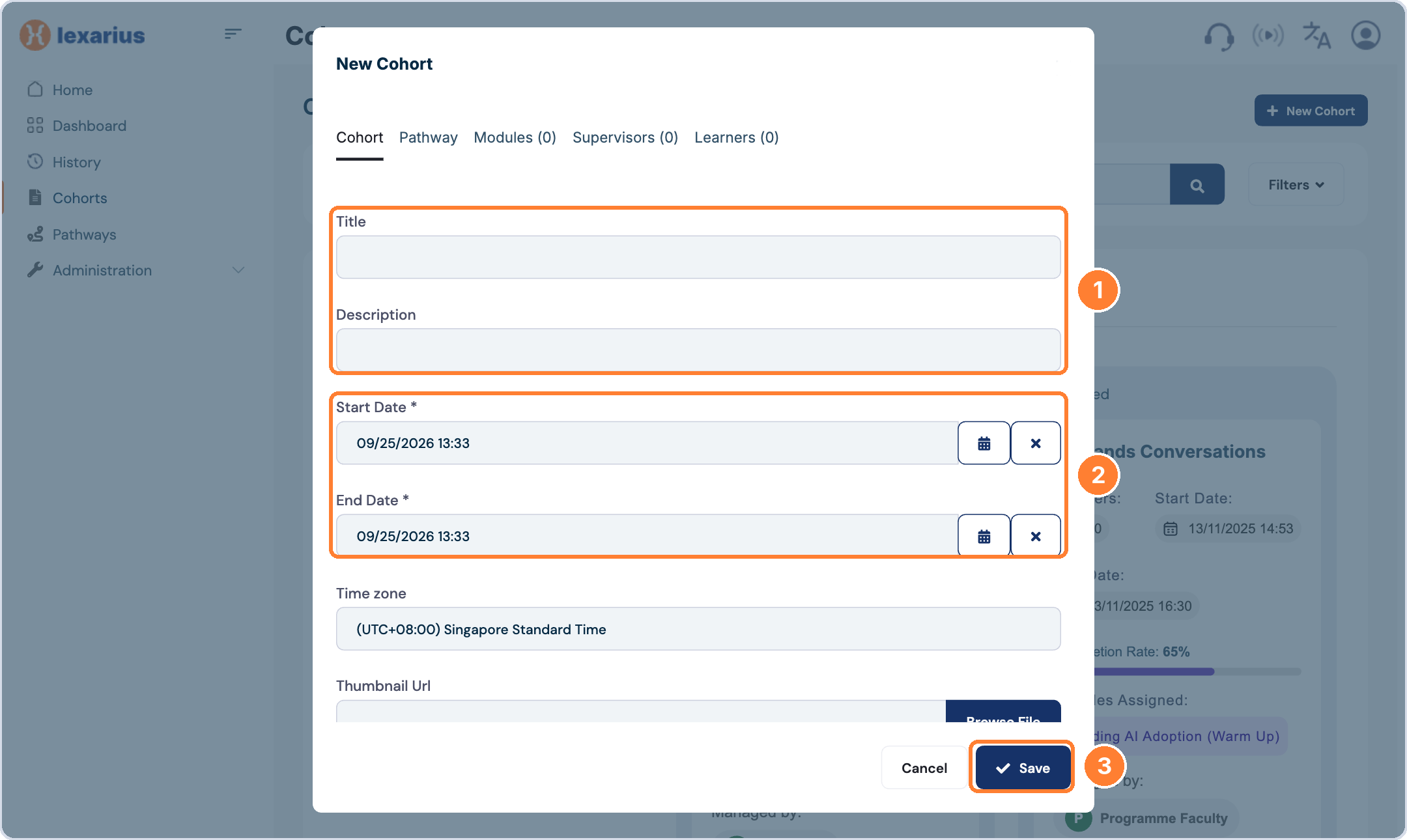
- In the Cohort tab, enter a Title and Description.
- Set the Start Date, End Date and Time zone.
- Tick Enable individual skills scores if you want learners to see their own skill scores.

- Open the Modules tab, search for a module and click Add. Repeat for each module.
- Choose a Module Sequencing Type. Default leaves all modules unlocked.

- Open the Supervisors tab, search for a supervisor and click Add.

- Open the Learners tab, search for a learner and click Add.
- Click Save.

Tip: learners and supervisors must already exist as users on the platform before you can add them to a cohort.