How do I track my cohort's progress?
Use the Statistics, Skills and Learners tabs in your cohort to review participation and skill performance.
To open your cohort
Click Cohorts in the left-hand menu and open the cohort you want to review.
Check participation
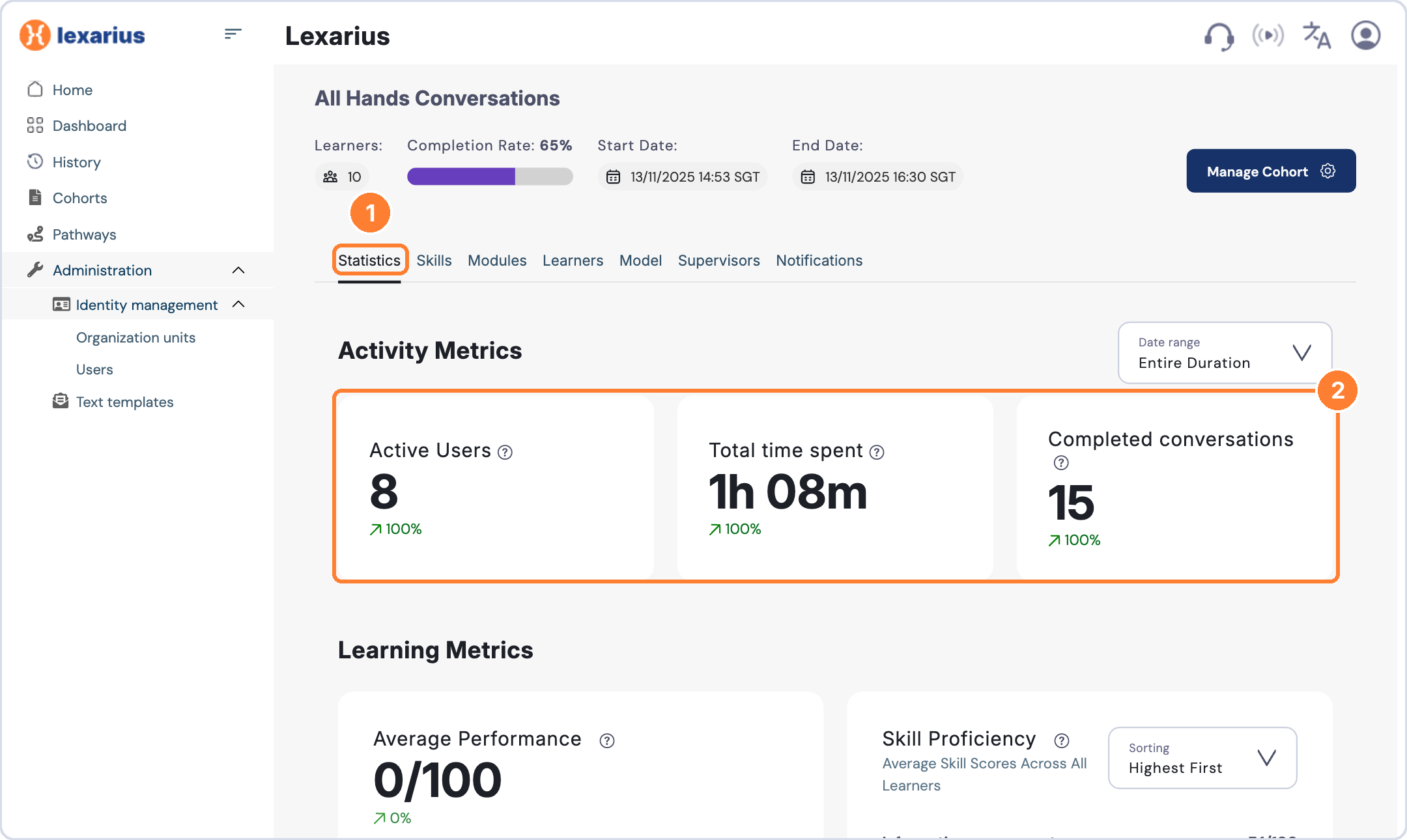
Select the Statistics tab to see Active Users, Total time spent and Completed conversations, plus average performance and skill proficiency.
Review skill performance
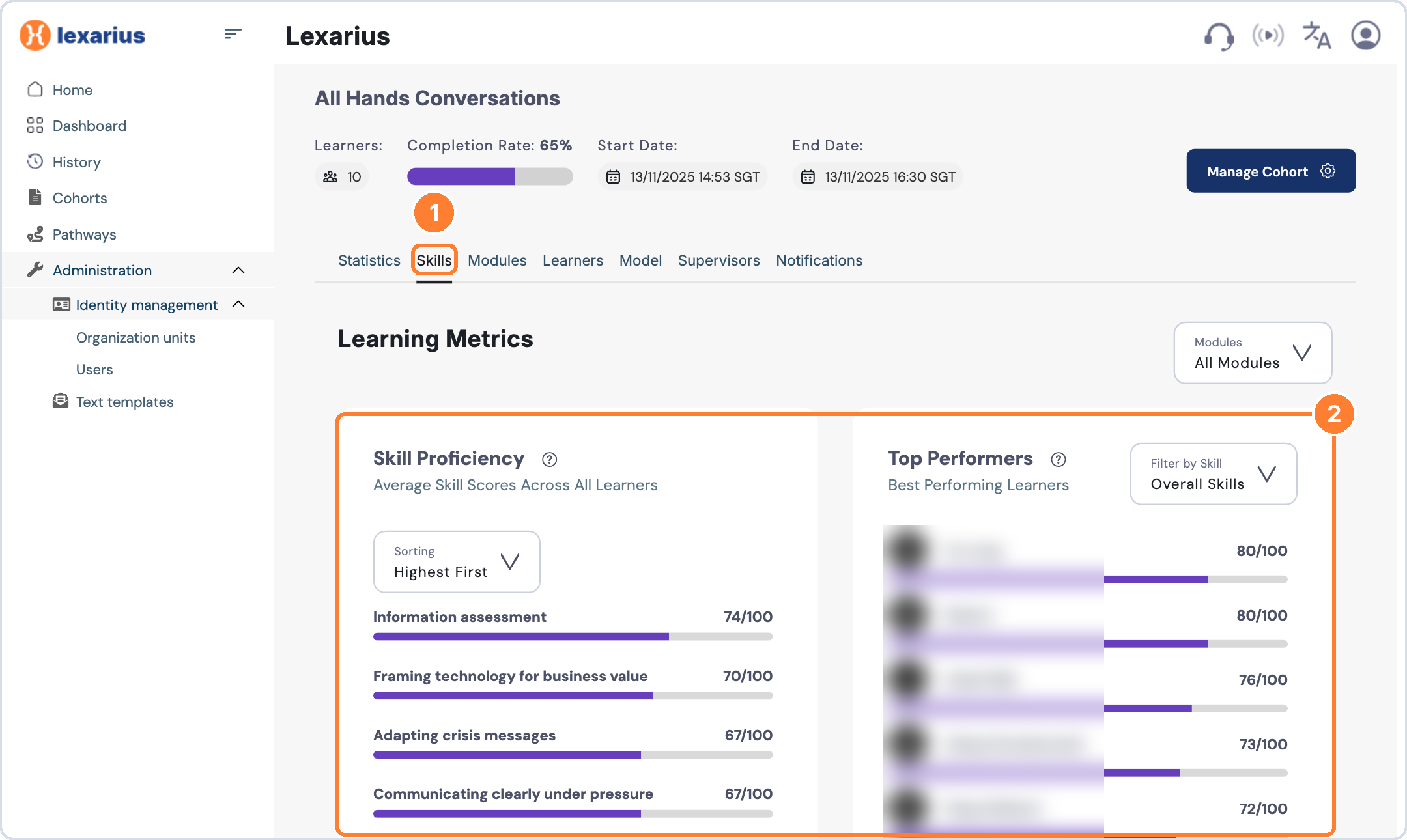
Select the Skills tab to see average skill scores across learners and your top performers. You can filter by module or skill.
See each learner's progress
Select the Learners tab to see completed modules and conversations, time spent and skill proficiency for each learner.
Tip: use this to spot who needs a reminder, and click Manage Cohort > Download Report to share progress with stakeholders.