How do I set up cohort notifications?
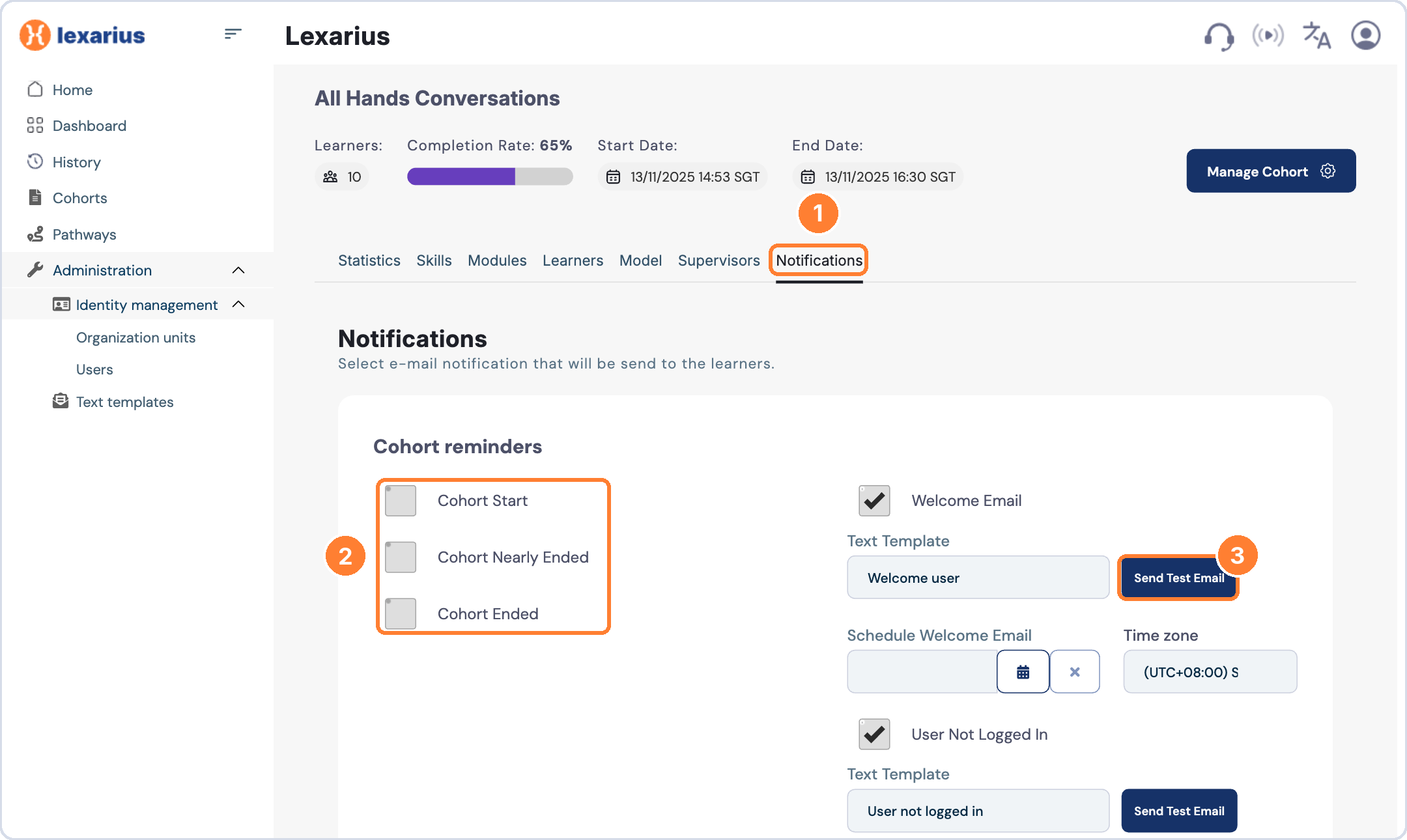
Turn on the email notifications you want learners to receive from the cohort's Notifications tab.
To set up notifications
- Open the cohort and select the Notifications tab.
- Tick the notifications you want learners to receive.
- Choose a Text Template for each one.
- Click Send Test Email to check the content and formatting.
- If you prefer, use Schedule Welcome Email to send the welcome email at a set time.
Recommended notifications
- Welcome Email
- Cohort Start
- User Not Logged In: sent three days after the cohort start date.
- Cohort Nearly Ended: sent three days before the cohort end date.
- Cohort Ended
Tip: send a test email before launch so you can check exactly what learners will receive.