How do I add learners to a cohort?
Add existing users to a cohort one by one, or import them in bulk from Manage Cohort.
Before you begin: learners must already exist as users on the platform before you can add them to a cohort.
To add learners one by one
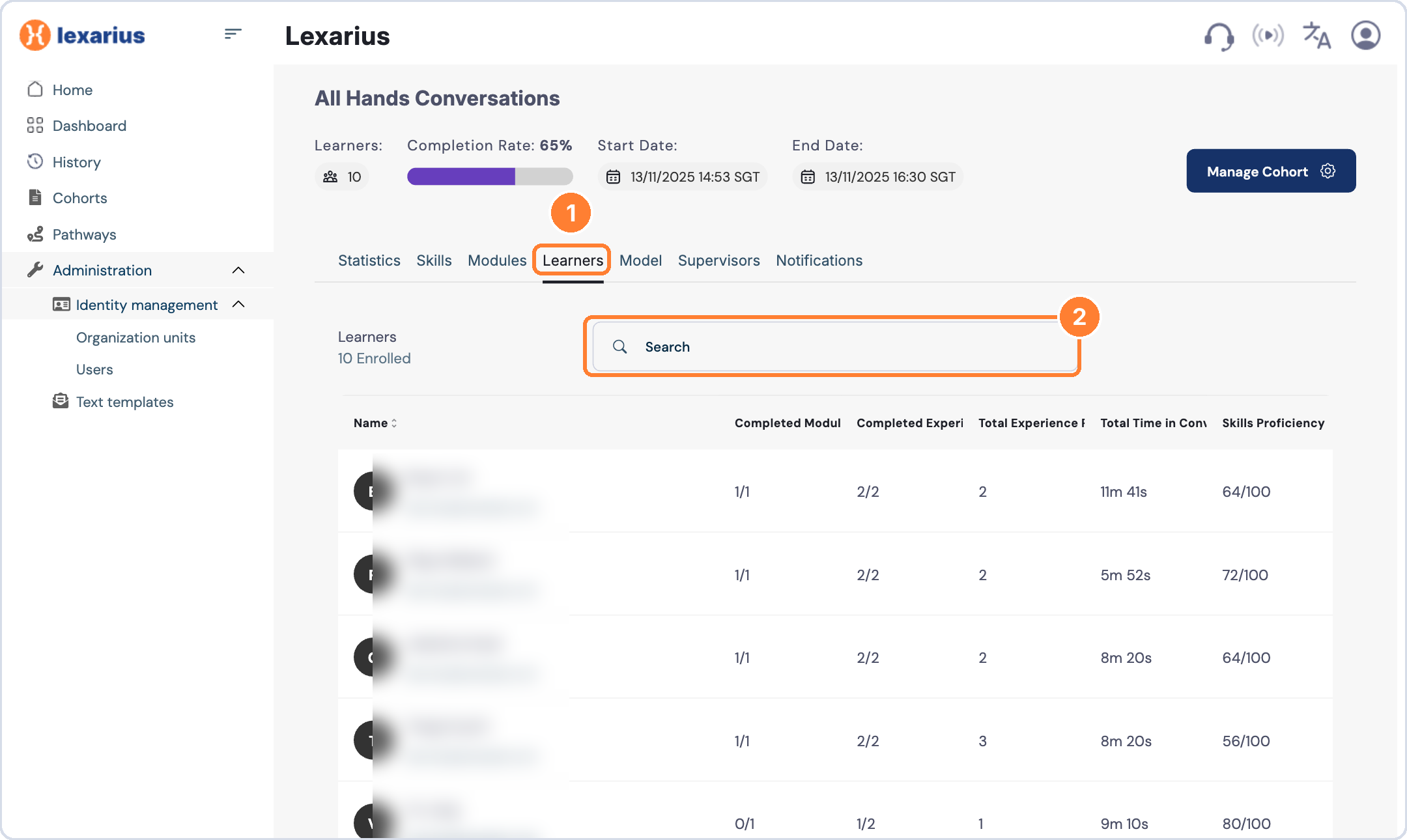
- Open the cohort and select the Learners tab.
- Search for the learner's name or email address and add them.
To add learners in bulk
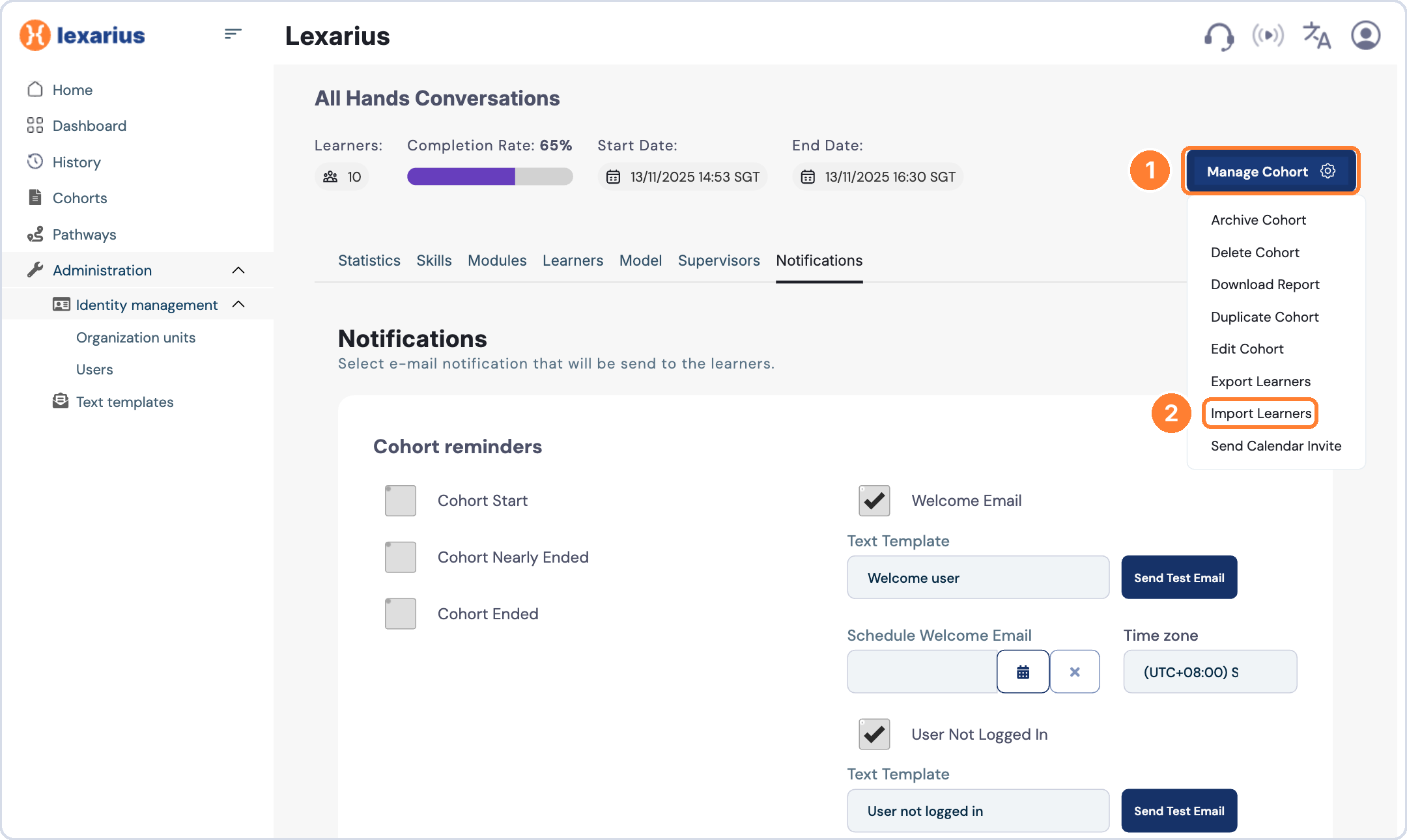
- Open the cohort and click Manage Cohort.
- Select Import Learners.
- Fill in the provided template and upload it.