How do I change my password?
Update your password from My account under Change password.
To change your password
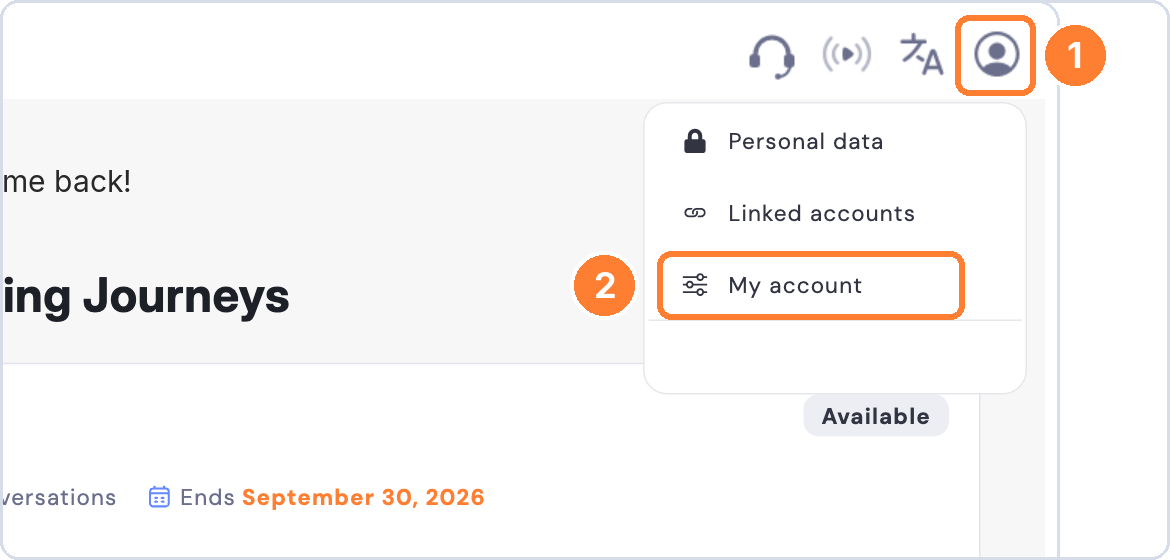
- Click the profile icon in the top right corner.
- Select My account.
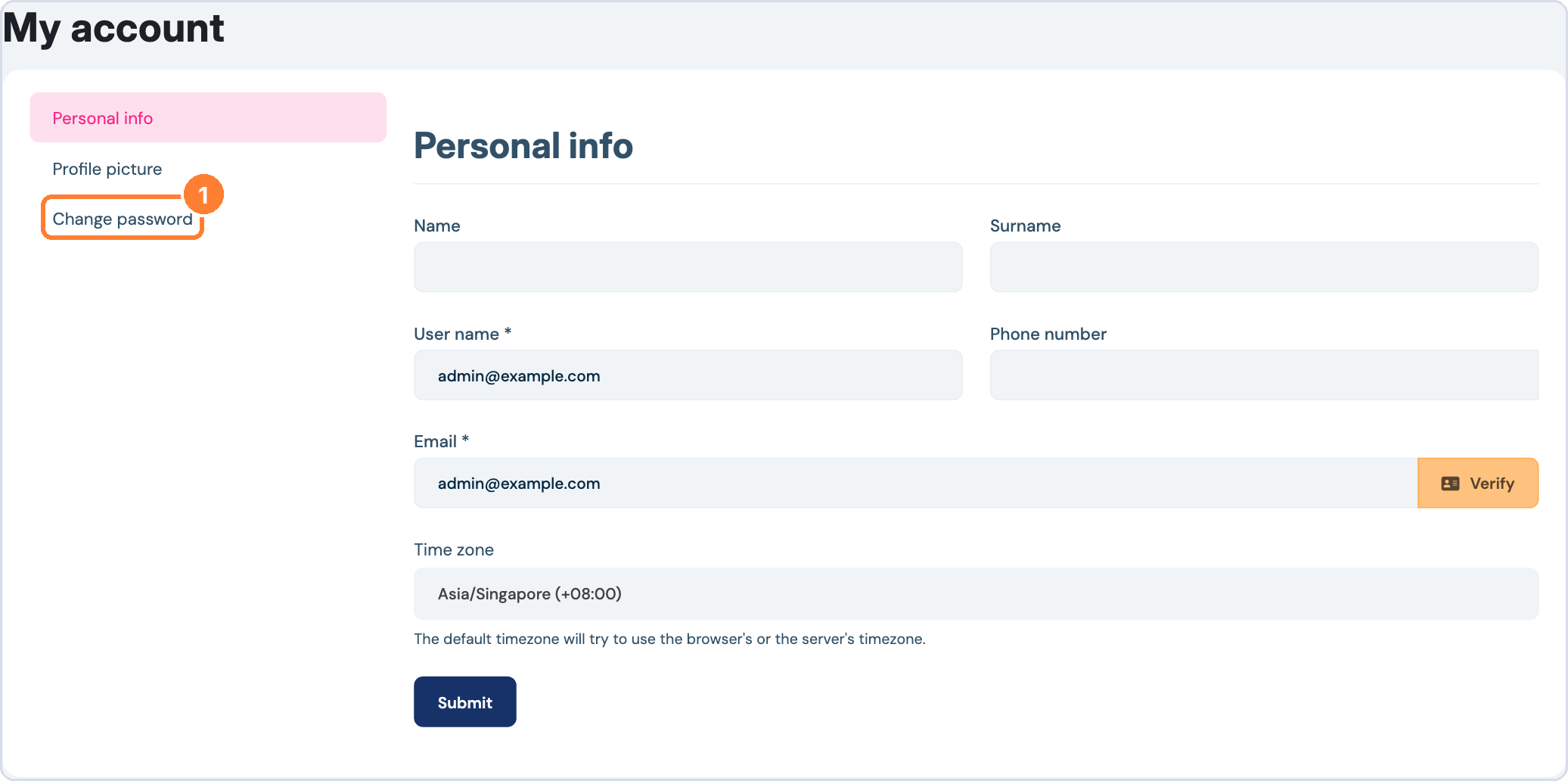
- Click Change password.
- Enter your current password and your new password.
- Save your change.
Forgot your password? On the login page, click Forgot password to reset it.