How do I change the language on the platform?
You can switch the platform's display language from the top bar, and pick the language for each roleplay before you start it.
To change the platform language
- Click the Language icon in the top bar, next to your profile icon.
- Choose your language from the list.
- Menus, buttons and pages switch to that language right away.
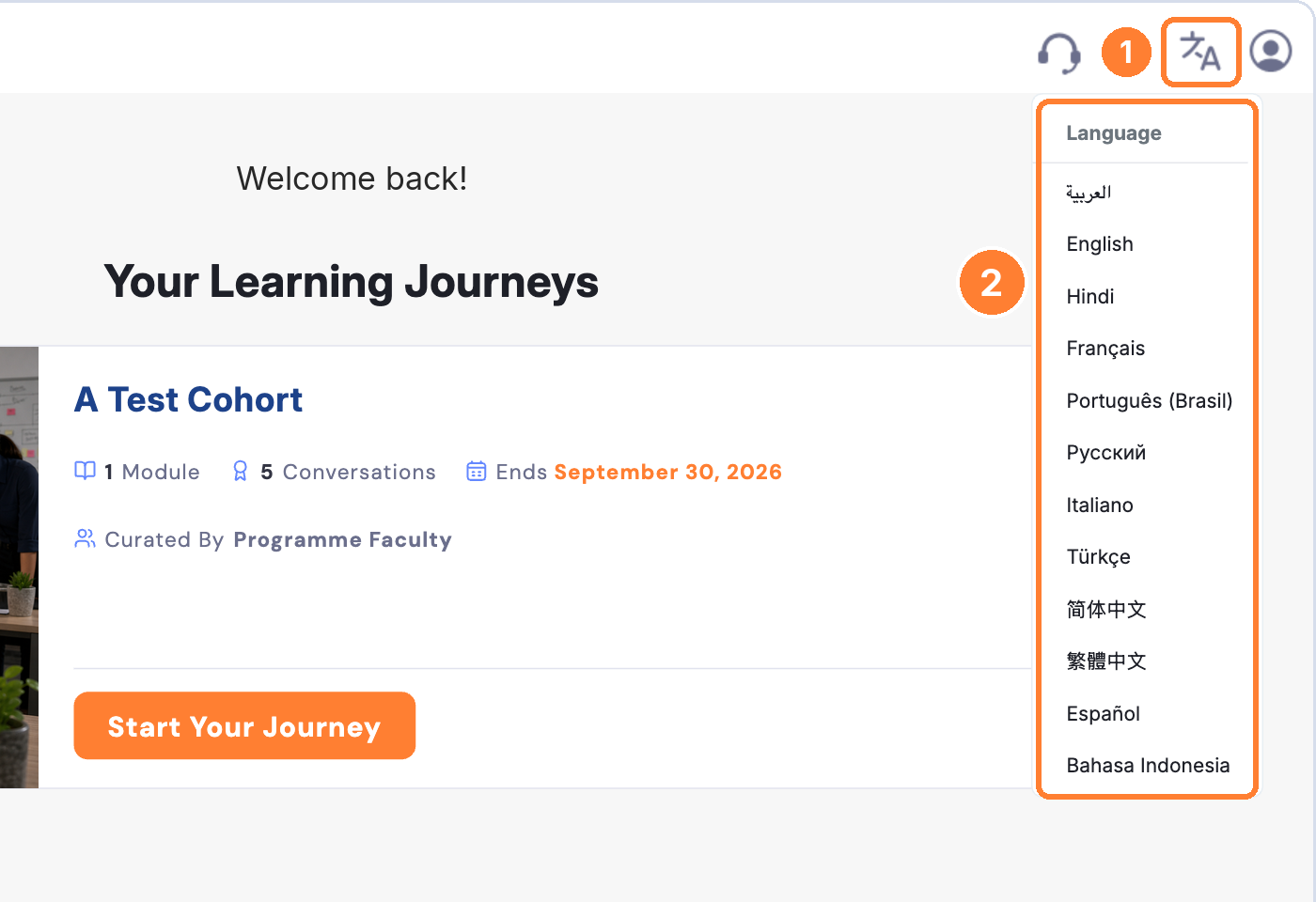
You can also choose a language on the login page before you sign in, from the English menu.
To change the language of a roleplay conversation
- Open your module and click Practice Now on a conversation.
- On the preview page, click the language menu under your persona. It shows ENGLISH by default.
- Pick the language you want to practise in.
- Click PROCEED to start.
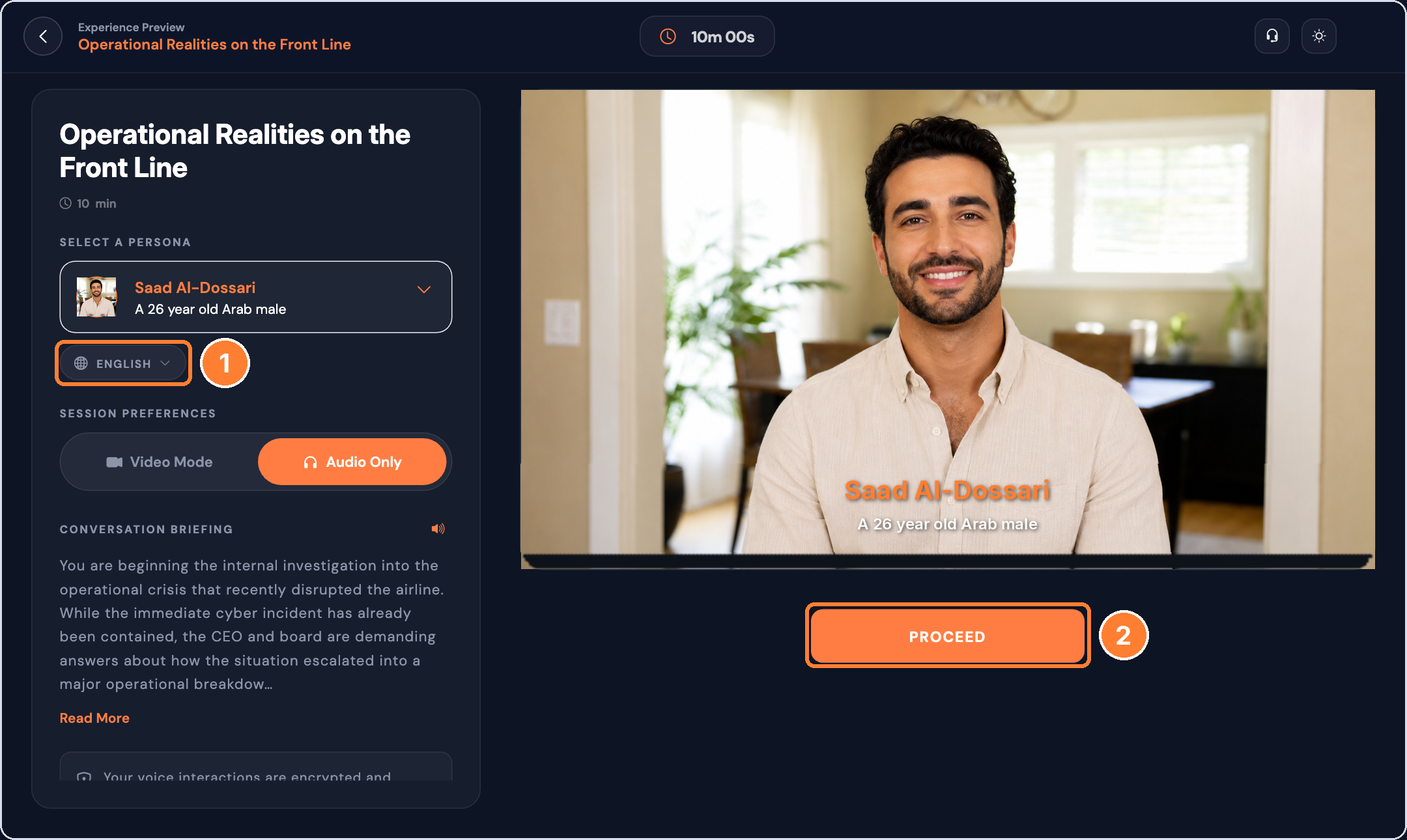
The persona will speak and respond in the language you selected.
Available languages
Arabic, English, Hindi, French, Portuguese (Brazil), Russian, Italian, Turkish, Chinese (Simplified), Chinese (Traditional), Spanish, Indonesian, Malay, Vietnamese, Japanese, German, Cantonese (Hong Kong), Dutch, Thai, Korean and Tagalog.
Good to know
- Changing the platform language doesn't change your roleplay language. Set each one separately.
- You can pick a different roleplay language each time you start a conversation.